The short version
Google changed how it reads the structured data (JSON-LD) on your pages. It used to unescape (decode a character back to its normal form) over and over until nothing was left. Now it unescapes only once. If your code was already clean, nothing changes. But if a character was escaped twice (coded into its safe form twice), it will now show up broken, and sometimes a whole block of structured data can stop working. Here is how to check in two minutes.
If you use JSON-LD for structured data, give this ten minutes. It will not break most sites. But when it does break a site, it usually breaks every page at once, and it does it quietly. No error, no warning. Your rich results just stop showing.
I will walk through what changed, and I will stop at the two or three spots where I got confused the first time, because you might too.
What Google actually changed
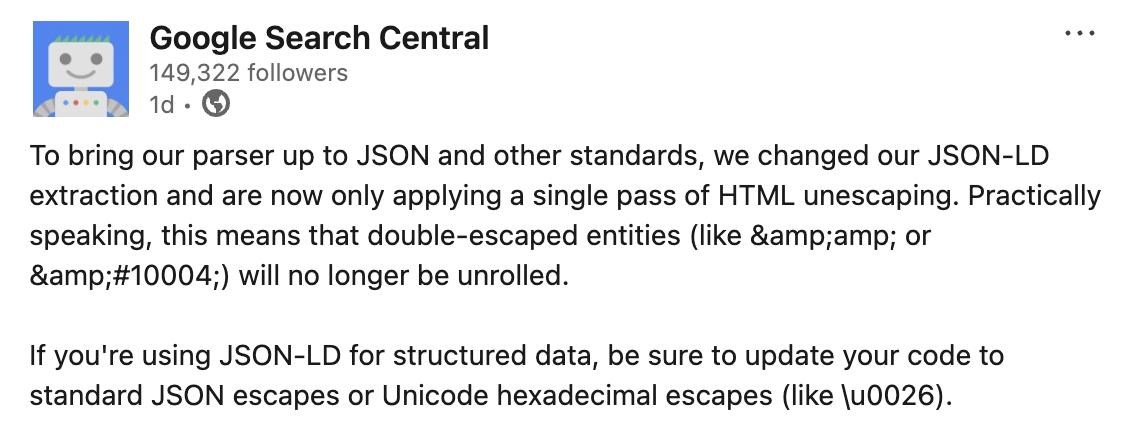
Here is the idea. Special characters in your code are often escaped, which just means written in a safe form, so they do not confuse the browser. To read them, Google unescapes them, turning that safe form back into the normal character.
Before, Google unescaped again and again, until there was nothing left to unescape. This quietly cleaned up messy code. Now Google unescapes only once. That is the whole change. Google did it to follow the JSON standard (RFC 8259, section 7).
One note: this was announced in a LinkedIn post by Google Search Central, and there is no entry for it in the official docs yet, so it is real but informal. And the good news: if your structured data was written correctly, one unescape was always enough. Nothing changes for you.
First, what does "escaping" mean?
The whole post rests on this, so let us keep it simple.
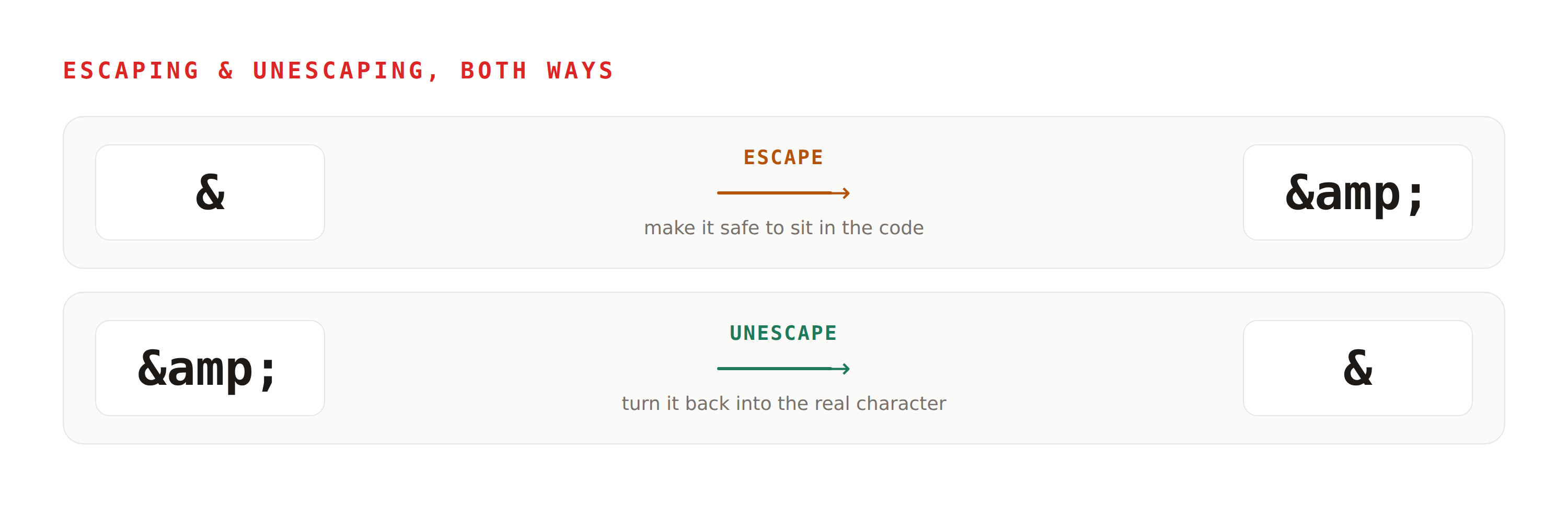
Some characters are special in HTML. The ampersand (&) is the
classic one. If you want to show a real & on the page, you do not
type it directly. You write it in a safe form, &. The browser
then shows it as &.
Turning & into & is called
escaping (making it safe). Turning
& back into & is called
unescaping, or decoding. That is the whole
idea.
So how does a character get escaped twice?
This is the first spot where I got confused, and I think you might too.
When I first heard "double-escaped," I thought it might be about using several special characters at once. Something like: if my text has two or three special characters, maybe only the first one gets handled and the rest are left alone. That is not it. Every special character is handled on its own. "Double" does not mean the second character in your text. It means the same single character got escaped twice.
So how does one character get escaped twice? Two different steps in your setup both do the escaping. Your CMS saves the value already escaped once. Then your theme or template escapes the whole thing again on the way out, before the page is ever shown. Now that one character carries two layers of coding.
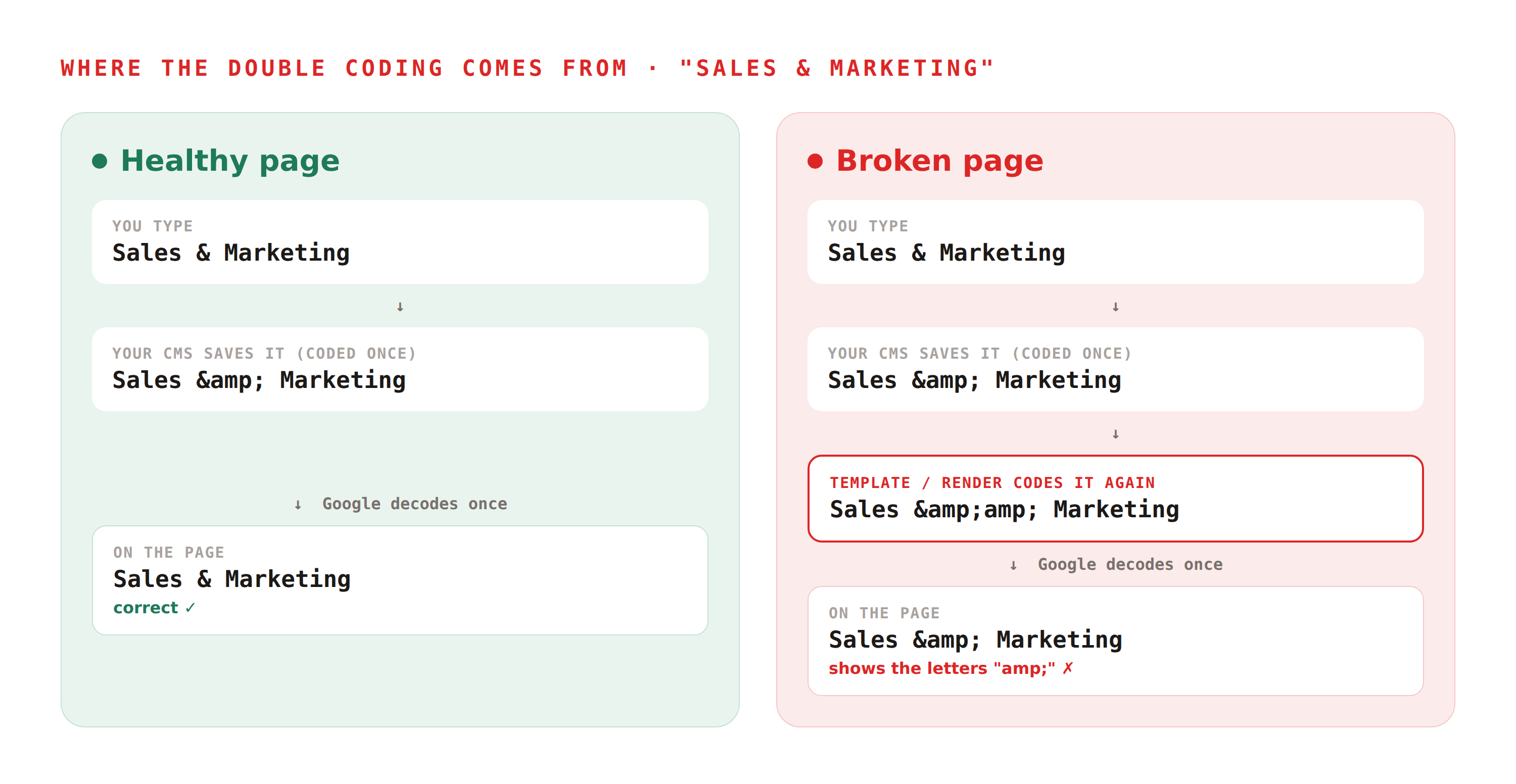
Under the old behavior, Google would decode again and remove that extra layer for you. It was quietly cleaning up. Now it decodes once and stops, so the extra layer stays.
"Wait, who adds the second escape? Is it Google?"
No. Google never escapes anything. It only reads your page and unescapes it. The extra escaping is added on your side, before the page is sent to anyone. The usual story is a CMS that saves an already-escaped value, and then a theme or template that escapes it a second time on the way out.
And here is the part that stings: inside a <script> tag, which is
where JSON-LD lives, the browser never unescapes these safe forms anyway. So that second escape
never did anything useful, even before this change. Google just used to hide the mess. Now it does
not.
"So it depends on my CMS, not on what I type?"
Right. What you type in your editor is often not what ends up in the final page. Your CMS, your theme, your site builder, any of them can add an escaping step you never see. That is why the only place to trust is the final page as the browser receives it, not your template and not the code you wrote.
What actually breaks (and how badly)
Not every double-coding is equal. There are two levels, and the difference is the whole story.
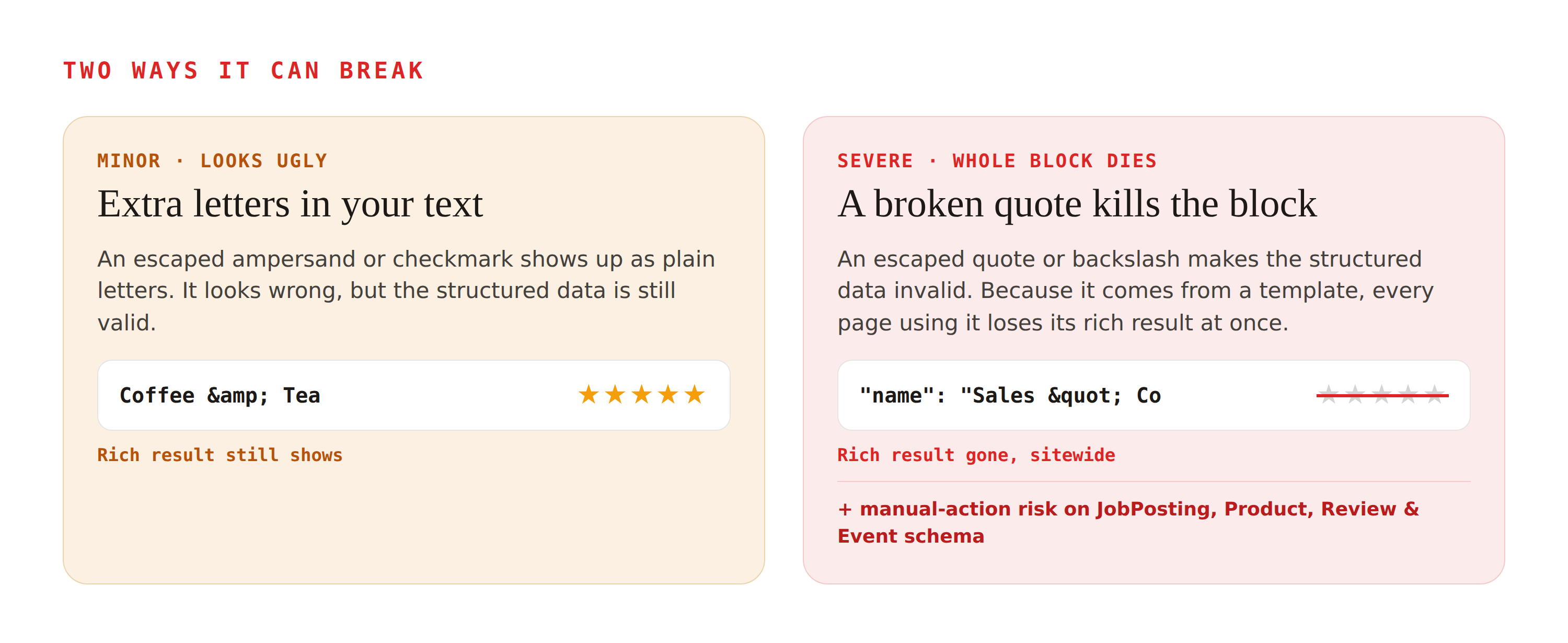
- Minor. A coded ampersand or checkmark just
shows up as plain letters. Your product might read
Coffee & Teainstead ofCoffee & Tea. It looks wrong, but the structured data still works and your rich result still shows. - Severe. If the coded character is one that JSON depends on, like a double quote or a backslash, the block is no longer valid JSON. One broken quote can end a value early and break the whole block. And since JSON-LD almost always comes from a template, every page using that template loses its rich result at the same moment.
Extra risk for some schema types
There is a second risk that goes past a missing rich result. Google's structured data policies say your markup must match the content a visitor actually sees on the page. When escaping garbles a value, your markup no longer matches the visible text. For a few sensitive schema types, that mismatch can trigger a structured data manual action (Google calls it "Spammy structured markup"), which removes the whole page's rich-result eligibility, not just one snippet. JobPosting is the strictest: a mismatch can also pull the listing out of Google for Jobs. Product, Review, and Event markup are policed the same way. If you run any of these, treat this check as urgent.
Few sites are hit. The ones that are feel it across thousands of pages at once, with nothing to tell them why.
How to check your site in two minutes
You do not need any tool. Just your browser:
- Open one of your live pages.
- View the page source. Right-click and choose "View Page Source," or press
Ctrl+U(Cmd+Uon a Mac). - Find your structured data. Use the find box (
Ctrl+ForCmd+F) and search forld+json. - Read the values inside it and compare them to what you meant to put there. If you see
&right before a letter, or&#right before a number, or a doubled quote, that value was escaped twice.
Why the page source and not a testing tool? Because the extra coding is usually added at the last step, when the page is built. If you paste your own code into a tester, it looks clean, while the real page is broken. Always check the real page.
How to fix it
The fix is almost always in one place: stop the template from escaping your structured data a second time.
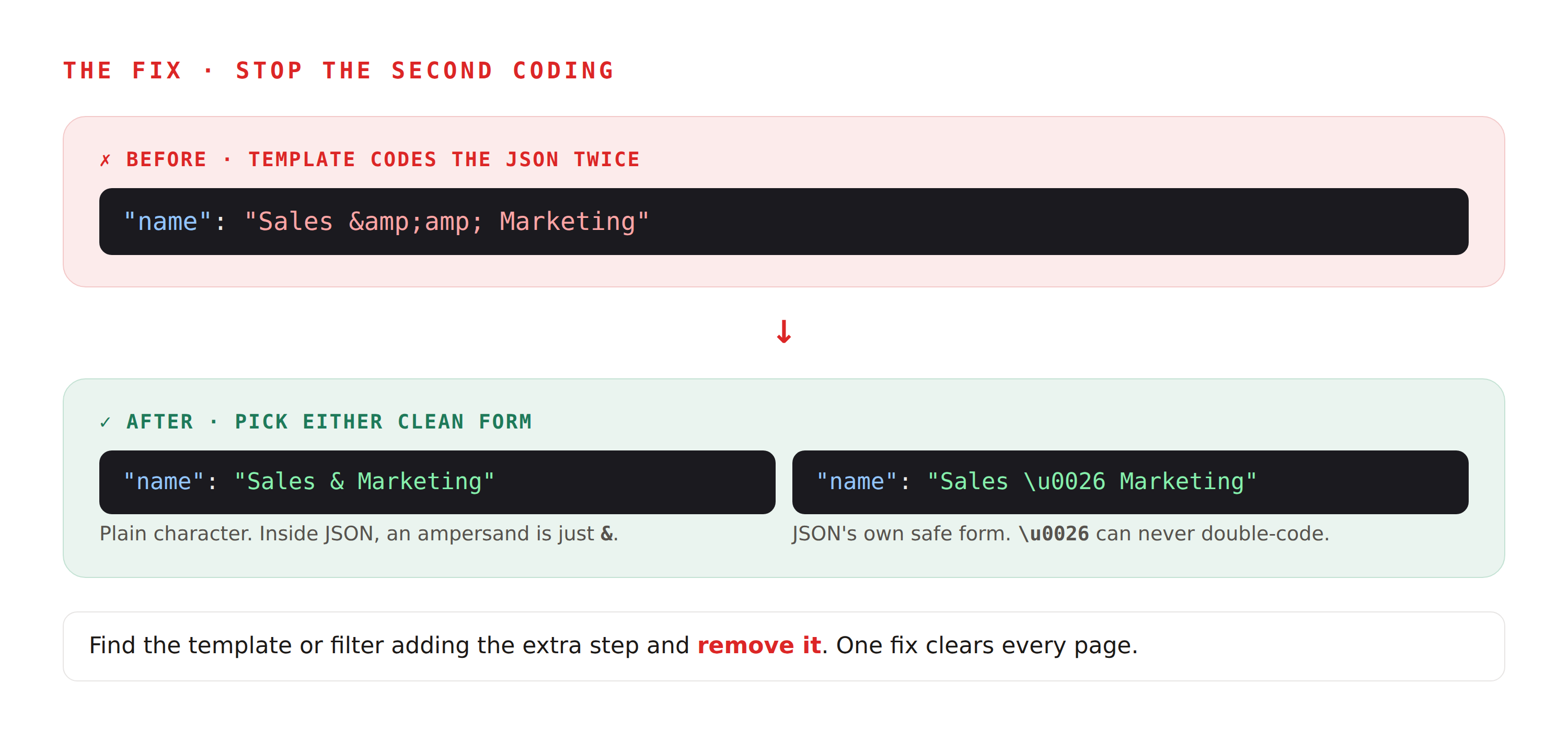
Inside JSON, you have two clean ways to write a special character:
- Use the plain character. Inside a JSON string, an ampersand can simply be
&. It does not need a safe form. - Or use JSON's own Unicode escape. This is part of the JSON standard (RFC 8259, also published as ECMA-404), and Google's own note calls it a Unicode hexadecimal escape. An ampersand is
\u0026, and a checkmark is\u2714. These can never be double-escaped into junk.
Here are the characters that trip this up most, with the safe form to use inside a JSON string. In most cases the plain character works fine too; the escape is just the always-safe option.
| Character | Name | JSON escape |
|---|---|---|
| & | Ampersand | \u0026 |
| " | Double quote | \u0022 |
| ' | Apostrophe | \u0027 |
| < | Less-than | \u003C |
| > | Greater-than | \u003E |
| \ | Backslash | \u005C |
| ✔ | Check mark | \u2714 |
| © | Copyright | \u00A9 |
| ® | Registered | \u00AE |
| € | Euro sign | \u20AC |
| — | Em dash | \u2014 |
| ’ | Curly apostrophe | \u2019 |
Then find the template or filter that adds the extra escaping step, and remove it. Since it lives in one template, one fix usually clears every page.
Where this shows up most
If you want to know whether you are exposed, check these common setups:
- Static site generators like Hugo, where
chaining the wrong output steps (people hit this with
plainify) double-codes strings. This has a long history of "bad escape sequence" errors in Search Console. - WordPress themes and plugins, where an output filter codes content that the CMS already saved coded.
- Headless or JAMstack setups, where a rendering step codes the whole script block as a blunt safety measure.
- Anywhere product names, reviews, or FAQ answers flow straight from a database into your schema. Database fields are often saved already coded for display, and if that value drops into JSON-LD and gets coded again, you have your double-coding.
That last one is where I would start if you run schema on an online store or a SaaS catalog. It is the highest-volume, highest-value place for this to go wrong.
What to do this week
- Pull up your two or three most important schema templates: product, article, FAQ.
- On a live page for each, view the source and search the
ld+jsonblock for&before a letter, and&#before a number. - Fix the serious ones first: any double-escaped quotes or backslashes, since those break the whole block, not just the look.
- Fix it in the template by using plain characters or the
\u0026form, and remove the extra coding step.
Correctly written schema is safe. Everything else is one quick check away from certain.